A product requirements document (PRD) is a single written artifact that defines what a product or feature must do, why it exists, and how the team will know it succeeded. Its core job is alignment: every engineer, designer, and stakeholder reads the same source of truth before a line of code is written. If you're here to draft one, jump straight to the minimal template in Section 4.
A PRD covers scope, constraints, acceptance criteria, and expected customer value. It does not replace technical design docs, architecture decisions, or sprint backlogs. Think of it as the contract between product thinking and execution, not the execution plan itself.
Table of Contents
- What is a product requirements document, and when do you need one?
- How does a PRD differ from an MRD or a BRD?
- A minimal PRD template you can copy right now
- How to write a PRD step by step
- Sample PRD and where to find editable templates
- Common PRD mistakes and how to fix them
- How PRDs fit into Agile workflows and the handoff to engineering
- How to define success: KPIs and a milestone timeline
- Key Takeaways
- The PRD habit that actually separates good PMs from great ones
- Klaritea gives you a structured PRD before you write a single line of code
- Useful sources and templates
- FAQ
What is a product requirements document, and when do you need one?
A product requirements document defines a product's purpose, features, functionality, and behavior before development begins. The product manager typically owns it, though the drafting process is collaborative. Its primary purpose is to force alignment and produce testable acceptance criteria that engineering and QA can act on.
You need a PRD when:
- Launching a new product or a significant new feature
- Coordinating a major update across multiple teams (design, engineering, data)
- Handing off requirements to an external contractor or agency
- Onboarding a new team member who needs context on what was decided and why
You probably don't need a full PRD for a small bug fix, a copy change, or a minor UI tweak. Those are better handled directly in Jira, GitHub issues, or your team's project tracker. A PRD earns its overhead when the "what" and "why" are genuinely contested or unclear.
One thing a PRD does not replace: technical implementation specs, backlog management in Jira or similar tools, or the design system documentation that lives in Figma or Confluence. Each of those serves a different audience and a different moment in the build cycle.
How does a PRD differ from an MRD or a BRD?
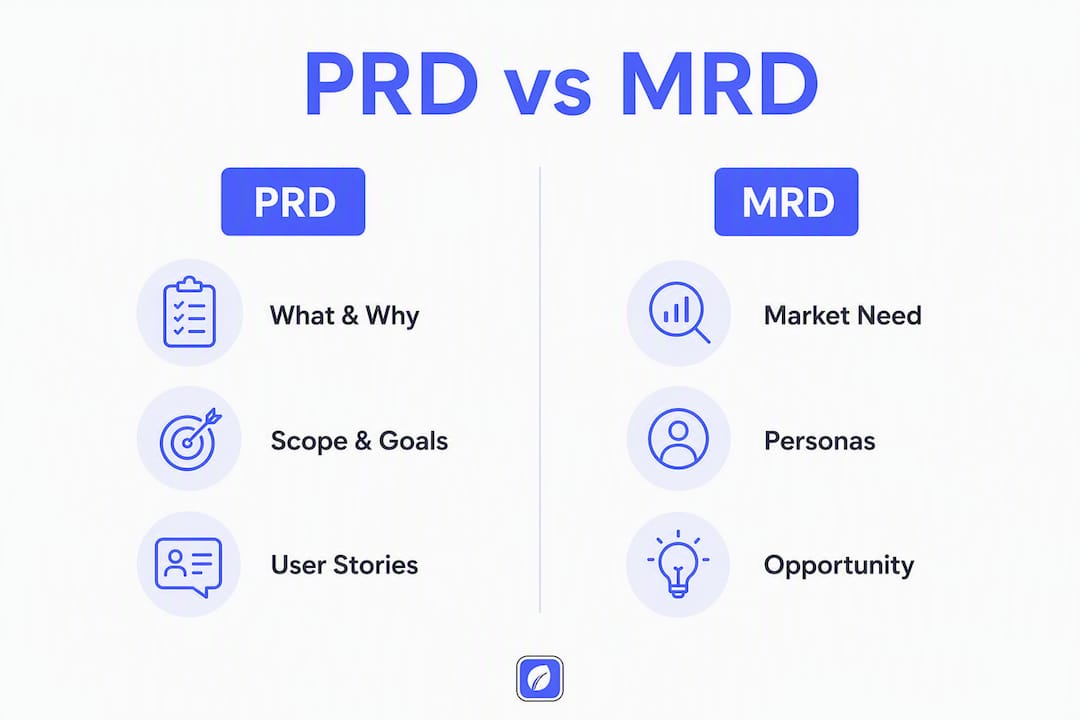
Product managers often encounter three document types that sound interchangeable but serve distinct purposes. The market requirements document (MRD) answers the market question: who are the customers, what do they need, and is there a real opportunity? The business requirements document (BRD) answers the business question: what outcomes does the company need, and what constraints apply? The PRD answers the build question: what exactly should the product do, and how will we verify it?
| Dimension | MRD | BRD | PRD |
|---|---|---|---|
| Primary question | Is there a market? | What does the business need? | What should the product do? |
| Typical owner | Product marketing or strategy | Business analyst or sponsor | Product manager |
| Main contents | Market size, personas, competitive landscape | Business goals, ROI, constraints | Features, user stories, acceptance criteria |
| Primary audience | Executives, investors | Stakeholders, finance | Engineering, design, QA |
| When to use | Before committing to a product | Before scoping a project | Before starting a sprint or build |

In practice, a startup often skips the MRD and BRD entirely and writes a lean PRD that folds in just enough market and business context. Larger organizations tend to sequence them: MRD first to validate the opportunity, BRD to align on business goals, then PRD to specify what gets built. If you're a product manager at a mid-size company, the most common pattern is to reference the MRD's persona and market data inside the PRD's problem statement rather than maintaining three separate documents.
A minimal PRD template you can copy right now
The table below gives you the full PRD structure. Each section has a one-line purpose and a note on what to include. For a single feature, you can skip the appendix and phasing rows entirely.
| Section | Purpose | What to include |
|---|---|---|
| Header / one-line summary | Orient any reader quickly | Product name, feature name, author, date, version, status |
| Problem statement | Define the pain worth solving | Who has the problem, what the current experience is, why it matters now |
| Goals & success metrics | Make success testable | 1–3 KPIs with baselines and targets (e.g., activation rate from 40% → 55%) |
| Non-goals | Prevent scope creep | Explicit list of what this release will NOT do |
| Users / personas | Ground requirements in real behavior | Primary and secondary user types with key needs |
| User stories & acceptance criteria | Define done | Given/When/Then format; criteria must be verifiable |
| Functional requirements | Specify what the system does | Numbered list, MoSCoW priority label on each |
| Non-functional requirements | Specify how well it does it | Performance targets, security, accessibility, uptime |
| Dependencies & integrations | Surface blockers early | APIs, third-party services, internal systems, data sources |
| Milestones & phasing | Set a delivery cadence | Discovery → MVP → beta → GA with dates or sprint numbers |
| Open questions & risks | Track unresolved decisions | Owner and due date for each open item |
| Appendix / change log | Preserve history | Version history, links to related docs, glossary |
A concrete user story example
Feature: Email verification on sign-up
User story: As a new user, I want to verify my email address so that my account is secure and I receive product notifications.
Acceptance criteria (Given/When/Then):
- Given a user submits a valid email during sign-up, When they click "Create account," Then the system sends a verification email within 30 seconds.
- Given the user clicks the verification link, When the link is less than 24 hours old, Then their account status changes to "verified" and they are redirected to the dashboard.
- Given the link is expired, When the user clicks it, Then they see an error message with a "Resend verification" option.
MoSCoW priority: Must-have (M)
Non-goals checklist for this feature:
- Social login (OAuth) is out of scope for this release
- Two-factor authentication is deferred to Phase 2
- Email template customization is a future enhancement
Acceptance criteria should be verifiable and numeric where possible — for example, "p95 response time < 400ms" or "conversion lift ≥ 3%." A criterion like "the system should be fast" is untestable and will cause disagreement during QA.
How to write a PRD step by step
Writing a PRD is not a solo activity. The best ones come from a structured conversation, not a document written in isolation and then emailed around for comments.
- Write the one-line summary first. Before anything else, state what you're building and why in a single sentence. If you can't do this, you're not ready to draft.
- Gather evidence. Pull in user research, support tickets, analytics, and competitive context. The problem statement needs data behind it, not just intuition.
- Draft the problem statement and success metrics. Define the current state, the desired state, and the 1–3 KPIs that will tell you whether you got there.
- Write user stories and acceptance criteria. Use Given/When/Then. Each story should be small enough to estimate and test independently.
- Prioritize requirements using MoSCoW. Label every functional requirement as Must-have, Should-have, Could-have, or Won't-have. This forces trade-offs before the sprint starts, not during it.
- Review with design and engineering. Share a draft early. The goal is to generate questions, not to get rubber-stamp approval. If no one asks a hard question, the PRD is probably too vague.
- Freeze scope and document non-goals. Once the team aligns, lock the scope. Non-goals are as important as goals — they give the team a reference point when stakeholders push for additions mid-sprint.
- Hand off with a sign-off record. Note who approved the PRD, on what date, and at which version. This matters when scope disputes arise later.
Roles and responsibilities
| Role | Responsibility |
|---|---|
| Product manager | Drafts the PRD, owns the problem statement and goals |
| Design lead | Reviews UX notes, contributes persona and flow details |
| Engineering lead | Reviews technical feasibility, flags dependencies and risks |
| QA lead | Reviews acceptance criteria for testability |
| Stakeholders / sponsor | Approves goals and scope; signs off before development starts |
Collaboration checklist:
- Schedule a 30-minute kickoff to align on the problem statement before writing
- Share a draft within 48 hours of kickoff for async comments
- Hold a single 60-minute review session with design and engineering
- Collect written sign-off (a comment or email) from each approver before the first sprint
- Link the approved PRD from the relevant Jira epic or Notion project page
Sample PRD and where to find editable templates
Short sample PRD: onboarding checklist feature
Product: Acme SaaS | Feature: New-user onboarding checklist | Author: J. Rivera | Version: 1.0 | Status: Draft
Problem statement: New users who don't complete key setup steps within their first session have significantly lower 30-day retention rates. The current onboarding flow has no progress indicator, so users don't know what to do next.
Goals:
- Increase the 7-day activation rate substantially within two months of launch.
- Reduce first-session drop-off notably as measured by session completion events.
User stories:
- As a new user, I want to see a checklist of setup steps so I know what to complete to get value from the product. Acceptance criteria: Given a user logs in for the first time, the checklist appears on the dashboard within 2 seconds (p95). Each completed step is visually marked. The checklist disappears after all steps are complete.
- As a new user, I want to dismiss the checklist if I don't need it. Acceptance criteria: A "dismiss" option is visible. Dismissal persists across sessions.
Prioritized requirements:
- Display checklist on first login (M)
- Mark steps complete in real time (M)
- Allow permanent dismissal (S)
Non-goals: Gamification, badges, and email drip sequences are out of scope for this release.
Template formats and where to get them
Markdown PRDs are the most portable format: they paste cleanly into Notion, Confluence, and Google Docs, version in Git alongside your codebase, and are readable by AI coding agents without conversion.
- Confluence: Best for teams that need traceability. Use Confluence's built-in page templates or create a PRD template in your space. Link PRD pages directly to Jira epics using the Jira macro so requirements and tickets stay connected.
- Notion: Well-suited for product-aware teams. A Notion PRD template works as a database entry, letting you filter by status, owner, or feature area. Export to Markdown for handoff to engineers.
- Google Docs: The simplest option for executive review or external stakeholders. Commenting and suggestion mode make async review fast. Less suited for traceability.
- Markdown: The right choice when engineers will consume the PRD directly or when you want version control in GitHub.
Export and integration tip: When converting PRD requirements into Jira or GitHub issues, include the acceptance criteria verbatim in the issue description. The issue title should reference the user story ("As a new user, I want to see an onboarding checklist"). This keeps the ticket self-contained and traceable back to the PRD without requiring the engineer to open a separate document.
Common PRD mistakes and how to fix them
Most PRD failures fall into a small set of repeatable patterns.
| Mistake | Fix |
|---|---|
| Treating the PRD as a static checklist | Keep it as a living document linked to tickets; update it when scope changes |
| Writing acceptance criteria that can't be tested | Make every criterion verifiable: a number, a state change, or a user-visible outcome |
| Skipping non-goals | List at least three explicit non-goals; they're your scope-management firewall |
| Writing a detailed spec for a short feature | Limit single-feature PRDs to 1–2 pages; add detail only where ambiguity is real |
| Sending the PRD for review after decisions are made | Share a rough draft early to generate questions, not just collect approvals |
| Omitting owners and a change log | Add a header row with author, reviewer, approver, and version history |
The most common trap is the static checklist problem. A PRD that doesn't generate hard questions from engineering and design is almost certainly too vague — or the team isn't reading it. Either way, the conflict surfaces later in development, where it costs more to fix.
Pro Tip: Use the non-goals section as a scope firewall. When a stakeholder requests a new feature mid-sprint, point to the non-goals list. If the request isn't there, add it to the open questions section and schedule a trade-off conversation — don't silently absorb it into the current sprint.
Experienced PMs use non-goals proactively to give the team a defensible reference point during change requests. It's not about saying no — it's about making the trade-off explicit before it becomes a scope argument.
How PRDs fit into Agile workflows and the handoff to engineering
A PRD is not a sprint artifact. It sits upstream of the sprint and feeds it. The flow looks like this:
PRD → Epics → User stories → Sprint tasks → QA sign-off

The PRD defines the "what" and "why." Epics group related stories. Individual user stories become sprint tasks. QA uses the acceptance criteria from the PRD to write test cases and verify completion. When this chain is intact, engineers can estimate confidently because the requirements are unambiguous.
For small tweaks or bug fixes, skip the PRD entirely and manage them directly in Jira or GitHub. The PRD overhead is only worth it when the scope is genuinely complex or cross-functional.
What must be in acceptance criteria for engineering and QA:
- Specific conditions (Given/When/Then)
- Performance targets where relevant (e.g., "loads in < 2 seconds at p95")
- Edge cases and error states
- Test data or example inputs where ambiguity is possible
Integration and traceability tips:
- In Confluence, link the PRD page to the Jira epic using the Jira macro. Every ticket in that epic should reference the PRD version it was derived from.
- In Notion, use a database relation to connect PRD entries to project tasks. Filter by status to see which requirements are in progress, done, or blocked.
- In GitHub, reference the PRD in the repository's README or a
/docsfolder. Link individual issues back to the relevant PRD section.
A living PRD connected to the tools teams already use avoids the manual, error-prone syncing that happens when requirements live in a document no one updates after kickoff.
How to define success: KPIs and a milestone timeline
Success metrics belong in the PRD from day one, not as an afterthought after launch. The goal is to pick 1–3 primary metrics with a baseline and a target, then tie every major requirement back to at least one of them.
Sample KPIs by product goal:
- Activation: % of new users who complete a key setup action within 7 days
- Retention: 30-day and 90-day retention rate by cohort
- Conversion: % of free users who upgrade within 30 days of hitting a paywall
- Performance: p95 page load time; API error rate
- Engagement: Daily active users / monthly active users ratio; feature adoption rate
Pick your primary metric first. Secondary metrics are useful for diagnosis but shouldn't drive the go/no-go decision. If you can't state what success looks like in one sentence before drafting, pause and resolve that first.
Connecting requirements to measurable goals keeps the PRD current as the product evolves. When a requirement can't be tied to any goal, that's a signal it doesn't belong in this release.
Milestone timeline template:
| Phase | What happens | Typical duration |
|---|---|---|
| Discovery | Research, problem validation, PRD draft | 1–2 weeks |
| MVP | Core requirements built and internally tested | 2–4 weeks |
| Beta | Limited release to real users; feedback loop | 1–3 weeks |
| GA | Full release; metrics monitoring begins | Ongoing |
For larger efforts, slice the work into phased PRDs with clear exit criteria for each phase. A Phase 1 PRD that ships is more valuable than a comprehensive spec that never gets finished.
Key Takeaways
A well-written product requirements document is a living alignment tool, not a static checklist — its value comes from testable acceptance criteria, explicit non-goals, and a direct link to measurable goals.
| Point | Details |
|---|---|
| Lead with a one-line summary | State what you're building and why in one sentence before drafting anything else. |
| Make acceptance criteria testable | Use Given/When/Then with numeric targets; vague criteria cause QA disputes. |
| List non-goals explicitly | At least three non-goals give the team a scope firewall during stakeholder requests. |
| Link PRD to tickets | Connect PRD items to Jira epics, Notion databases, or GitHub issues to avoid manual syncing. |
| Klaritea automates the structure | Klaritea turns a one-line idea into a structured PRD with exportable sections for Notion, Confluence, and GitHub. |
The PRD habit that actually separates good PMs from great ones
Most product managers understand the mechanics of a PRD. The gap between a mediocre one and a genuinely useful one isn't format or length — it's whether the document forces a real conversation before the sprint starts.
The single most underrated line in any PRD is the non-goals section. Not because it's clever, but because it makes the implicit explicit. Every product decision involves trade-offs that the team is already making informally. Writing them down turns a silent assumption into a shared agreement. When a stakeholder asks for something mid-sprint, you're not saying no — you're pointing to a decision the whole team already made. That's a fundamentally different conversation.
The second thing most guides miss: collaborative PRD creation produces better alignment than documents written in isolation — not because the wording improves, but because the process of writing it forces the alignment conversation. If stakeholders agree to a PRD without reading the out-of-scope section, the conflict will surface later in development, at higher cost. A PRD that generates zero hard questions from engineering is a warning sign, not a success.
One practical rule: if the feature is small enough to fit in a single sprint and the team already agrees on the goal, write a one-pager. If it spans multiple sprints, involves external teams, or has contested scope, write a full PRD with phased milestones.
Klaritea gives you a structured PRD before you write a single line of code
Most founders and early-stage PMs spend hours on PRD structure before they've validated the idea underneath it. Klaritea flips that sequence. You type a one-line description of your product or feature, and Klaritea builds a connected model that covers scope, user personas, feature requirements, and acceptance criteria — all linked to your market and business goals.
The outputs map directly to PRD jobs-to-be-done: structured requirement sections, MoSCoW prioritization, AI advisory checks from three built-in advisors (Maya on marketing, Devon on business strategy, Priya on ops and QA), and one-click export to Notion, Confluence, or Markdown. GitHub sync is available on paid plans. The result is a PRD draft that's already connected to your build spec, not a blank template you have to fill from scratch.
If you're building something new and want a PRD that's structured, validated, and ready to hand off, start with Klaritea — or read why the connected model approach works better than standalone docs for early-stage teams.
Useful sources and templates
A short list of authoritative resources for deeper reading, downloadable templates, and worked examples:
- Atlassian — Product requirements: how to write product requirements: Atlassian's official guide covering PRD structure, purpose, and integration with Jira and Confluence. Best for teams already in the Atlassian ecosystem.
- Wikipedia — Product requirements document: A concise reference definition covering the PRD's origins, purpose, and relationship to other specification documents.
Format guidance: Use Markdown for engineering-facing PRDs and version control. Use Confluence for internal traceability and Jira integration. Use Google Docs for executive review or external stakeholder sharing where commenting and suggestion mode matter more than structure.
FAQ
What is a PRD vs. a BRD?
A PRD defines what a product should do and how success is measured; a BRD defines what the business needs from a project, including goals, ROI, and constraints. The BRD typically comes first and informs the PRD's goals section.
What is an example of a PRD?
A PRD for an onboarding checklist feature would include a problem statement (new users who skip setup have lower retention), measurable goals, user stories with Given/When/Then acceptance criteria, and a prioritized requirement list using MoSCoW labels.
How do you create a PRD?
Start with a one-line summary of what you're building and why, then add a problem statement, 1–3 measurable goals, user stories with testable acceptance criteria, prioritized requirements, and an explicit non-goals list. Review with design and engineering before freezing scope.
What's the difference between a PRD and an MRD?
An MRD (market requirements document) answers whether a market opportunity exists — covering personas, market size, and competitive context. A PRD answers what the product should do to address that opportunity, with specific features and acceptance criteria. The MRD typically precedes the PRD in the planning sequence.
Can Klaritea generate a PRD from a one-line idea?
Yes. Klaritea takes a single-line product description and builds a structured model that includes scope, user personas, feature requirements, and exportable PRD sections ready for Notion, Confluence, or Markdown handoff.