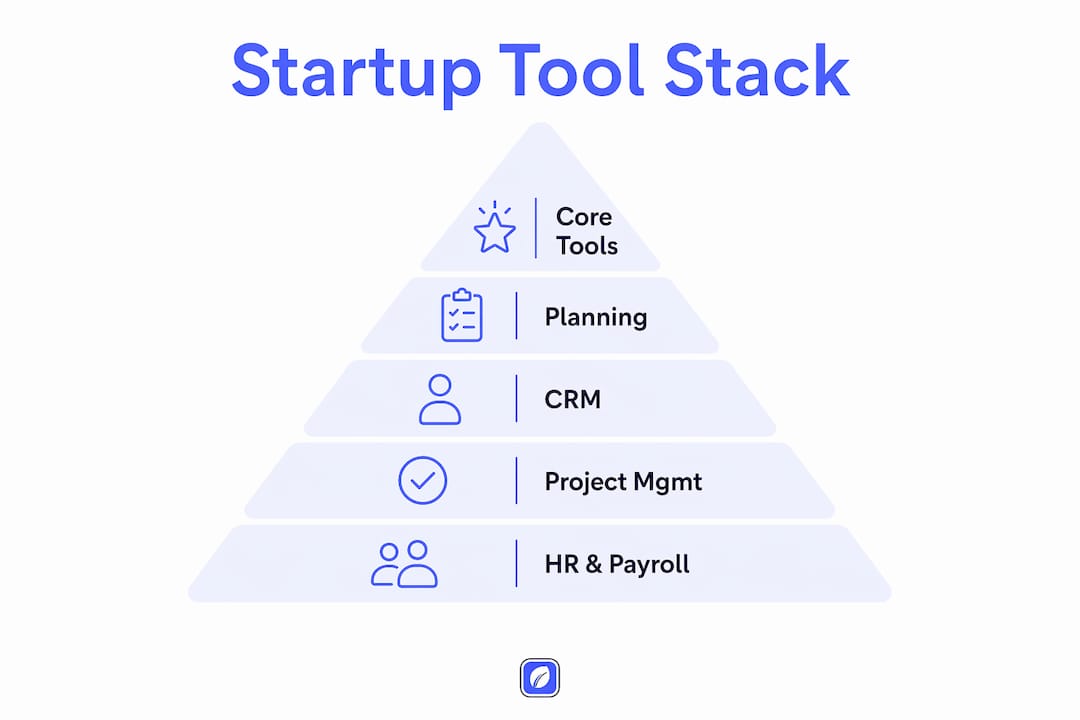
The best startup tools for 2026 aren't the flashiest or the most feature-packed. They're the ones that cover your core jobs without burning runway or adding complexity you don't need yet. Based on what's actually working across early-stage companies right now, a lean core stack of roughly six tools handles almost everything a pre-Series A founder will face:
- Business planning: LivePlan (paid, $20/mo) or Google Trends (free) for market validation
- CRM: HubSpot CRM (free) or Attio (free up to 3 seats)
- Accounting: Wave (free) or QuickBooks Online ($38/mo)
- Project management: Notion (free) or Linear (free up to 250 issues)
- AI productivity: ChatGPT or Claude (both free tiers available)
- Payroll: Gusto ($49/mo + $6/employee) once you hire your first W-2
Free tiers on most of these mean you can run a real business on close to $0 in software costs for the first 90 days. Add paid tiers only when a specific workflow ceiling forces your hand.
What are the best startup tools by category?
The right way to build your stack is by function, not by popularity. Each category below covers the tools that consistently earn their place, what they actually do, and when to upgrade.
Business planning
LivePlan is the most complete option for founders writing their first formal business plan. It connects your income statement, cash flow, and balance sheet dynamically, so changing one assumption flows through everything automatically. That matters when a lender asks what happens to your cash if revenue comes in 20% below plan. LivePlan also lets you compare actual performance against projections once you connect your accounting software, which is exactly what investors want to see at a Series A. Pricing starts at $20/mo with a 35-day money-back guarantee; no free tier, but the guarantee removes most of the risk.

Google Trends costs nothing and validates a market thesis in minutes. Search interest in geography, seasonality, and related queries gives you real signal before you spend a dollar on ads or development.
CRM
The two tools founders actually choose between are HubSpot CRM and Attio, and the decision comes down to one question: do you need a standard CRM workflow, or do you need to model custom data relationships?
HubSpot CRM's free tier gives you two seats with a full CRM, contact management, deal tracking, and email integration. It rivals what paid CRMs offered just a few years ago. The paid tiers (starting at $15/seat/mo) unlock sequences, reporting, and marketing automation as your sales motion matures.
Attio takes a different approach. Every record is a custom object, which means you can model relationships that don't fit a standard contact-company-deal hierarchy. That's genuinely useful for founders building marketplace or network-effect businesses. Free up to 3 seats; paid plans start at $29/user/mo.
Salesforce Starter Suite ($25/user/mo) makes sense only if you already know your company will eventually need the full Salesforce ecosystem. The bundled CRM, service, and marketing tools plus free Slack integration are real value, but the complexity overhead is hard to justify before you have a dedicated ops person.
Accounting and finance
Wave is the right call for bootstrapped founders and solopreneurs. Free invoicing and bookkeeping with no contact cap, and a Pro tier at $19.99/mo if you need bank reconciliation and receipt scanning. The catch: Wave's payroll is US-only and limited compared to dedicated payroll tools.
QuickBooks Online ($38/mo for Simple Start) is the better choice once you have employees, inventory, or a bookkeeper who needs to collaborate. Its integrations with US banks and payroll providers are unmatched, and most accountants know it cold.
Project management
| Tool | Best for | Free tier | Starting price (paid) | Standout feature |
|---|---|---|---|---|
| Notion | Wiki + docs + lightweight PM | Yes (10 guests) | $10/user/mo | Linked databases beat standalone wikis |
| Linear | Engineering issue tracking | Yes (250 issues) | $10/user/mo | Keyboard-first speed + native AI agents |
| Monday.com | Visual tracking, non-technical teams | Yes (2 seats) | $9/seat/mo | Boards and automations non-engineers adopt fast |
Notion works as your company wiki, meeting notes, and lightweight task tracker all in one. Linear is the tool engineering teams reach for when Jira feels too heavy. Monday.com fills the gap for ops, marketing, or sales teams that want visual boards without learning a new technical interface.
Payroll and HR
Gusto is the default choice for US startups hiring their first W-2 employees. Automated multi-state payroll, benefits integration, and onboarding flows at $49/mo plus $6 per employee. The setup takes less than a day for most teams under 25 people.

Rippling ($8/user/mo) is worth the extra cost once you're scaling fast and need HR, payroll, and IT provisioning in one place. Its standout feature is device and app provisioning tied directly to employee onboarding, which saves hours per new hire at a 30-person-plus team.
BambooHR (approximately $10/employee/mo) is the right move for teams in the 20–200 person range that need real HR workflows: onboarding checklists, employee records, performance reviews, and time-off tracking. It's not built for tiny teams, but it's the tool HR professionals actually prefer at that scale.
Gusto vs. Rippling in plain terms: Gusto if you're hiring your first few people and want simplicity. Rippling if you're adding 10+ people a quarter and need device management alongside payroll.
AI productivity
ChatGPT (free tier with ads; $20/mo for Plus) covers daily research, content drafting, and brainstorming. Its custom GPT support and the breadth of its model ecosystem make it the most flexible general-purpose AI assistant available.
Claude (free limited tier; $20/mo for Pro) is the better choice for long-document reasoning and coding assistance. It powers Cursor and several developer workflows, and its long-context window handles full codebases or lengthy legal documents without losing coherence.
Perplexity (free; $20/mo for Pro) adds real-time search with cited sources to the AI workflow. When you need a claim backed by a named source rather than a model's training data, Perplexity is faster and more reliable than asking ChatGPT to search the web.
Grammarly (free; $12/mo for Pro annual) catches tone drift and brand-voice inconsistencies across email, pitch decks, and documentation. Useful for any team where multiple people write externally.
Development and collaboration
GitHub is the industry standard for source control and CI/CD integrations. No real alternative for engineering teams.
Replit gives early-stage developer teams a cloud-based collaborative coding environment with almost no setup. It's particularly useful for prototyping and for non-engineers who need to run or modify code without a local development environment.
Slack (free tier available) handles real-time team communication with an app ecosystem that connects to almost every other tool in this list. The free tier limits message history to 90 days, which is enough for most pre-seed teams.
Google Docs, Google Sheets, and Google Drive form a collaboration baseline that costs nothing and requires no onboarding. Real-time editing, version history, and sharing permissions that work across organizations make the Google Workspace free tier a legitimate starting point for document collaboration and financial modeling.
Marketing and SEO
Mailchimp (free up to 250 contacts; $13/mo for Essentials) is the lowest-friction email marketing tool for early-stage teams. Its landing page builder and audience segmentation handle most pre-product-market-fit marketing needs without requiring a dedicated marketer.
Ahrefs ($29/mo for Starter) is the tool for startups investing in SEO. Its backlink index is the largest available, and its AI Overview tracking shows how your content appears in AI-generated search results, which is increasingly where organic traffic decisions get made.
Google Search Console is free and gives you direct insight into how Google indexes your site, which keywords drive clicks, and where Core Web Vitals need attention. No SEO strategy is complete without it.
Security and compliance
NordLayer ($8/user/mo for Lite) gives distributed teams zero-trust network access with GDPR and HIPAA tooling built in. Deployment takes hours, not weeks, and requires no hardware.
Vanta (approximately $10,000/year for Core, custom-quoted) automates compliance monitoring across SOC 2, ISO 27001, and 25+ other frameworks. For pre-Series A startups that need a security certification to close enterprise deals, Vanta cuts the time to certification from months to weeks.
Fundraising and data
Waveup Copilot (free insights and dashboards; paid templates and 1,500 VC contacts available) is built specifically for founders running a capital raise. Its dashboards are backed by data from $3B+ raised across startups, which gives the benchmarks real credibility.
Tableau ($15/user/mo for Viewer, annual) is the right tool once you have a data analyst who needs to build and share interactive dashboards. It's overkill before that point, but it's the industry standard when you get there.
How to choose the right startup tools for your business
The biggest mistake early-stage founders make isn't choosing the wrong tool. It's choosing too many. Over-tooling fragments your workflow, burns time on setup and maintenance, and consumes runway on subscriptions that don't move the needle. The discipline is saying no to tools that are nice to have.
A practical framework for evaluating any tool before you add it:
- Single job focus: Does this tool do one thing well, or does it try to do everything? Tools that try to do everything usually do nothing great.
- Free tier ceiling: Does the free tier cover your first 100 users or your first 90 days? If not, you're paying before you've validated fit.
- Onboarding speed: Can your team be live within the same week? If setup takes longer than that, the tool is probably wrong for your stage.
- Export path: Can you leave with your data if you switch? Data portability is non-negotiable. Vendor lock-in at the tool level is a real operational risk as you scale.
- Upgrade trigger: Do you know the exact metric that forces a paid tier? If you can't name it, you'll upgrade on emotion rather than necessity.
- Security basics: Does the tool offer SSO, an audit log, and GDPR compliance? These matter before you think they matter, especially if you're selling to enterprise customers.
If a tool fails three of these six criteria, it's the wrong tool for right now.
Pro Tip: Start with the highest-pain workflow first, usually accounting, CRM, or task management, and pick the cheapest tool that solves it. Add the next tool only when an existing one breaks under real usage pressure. Ease of setup and integration are the two factors that most consistently separate tools that get used from tools that get abandoned.
The practical starting point for most pre-seed teams is a free CRM (HubSpot or Attio), free accounting (Wave), free project management (Linear or Notion), one AI assistant (Claude or ChatGPT at $20/mo), and Google Search Console. A stack of around six tools covers nearly every early-stage workflow until you hire; total monthly spend: $20 or less before payroll is needed. Add Gusto the day your first W-2 employee starts.
Why AI-powered business planning tools change the game for founders
Most founders treat business planning as a document exercise. The tools that actually help treat it as a thinking exercise — and that's a meaningful difference.
AI-powered planning tools like LivePlan and Businessplan.ai do more than generate text. They pressure-test your assumptions before you've spent money on them. LivePlan's financial model connects your income statement, cash flow, and balance sheet so that changing one assumption, say your customer acquisition cost or your average contract value, flows through every projection automatically. That's what a working financial model does, and it's something a standalone AI chat tool can't replicate.
Businessplan.ai produces an initial draft in minutes from your inputs, which is genuinely useful as a starting point. The important caveat: AI-generated plans require founder review for accuracy and fit. A plan built on generic industry assumptions rather than your specific market and team will mislead rather than guide. Use the AI output as a first draft, not a finished product.
PitchScore takes a different angle. Rather than generating a polished document, it helps founders organize the assumptions behind their numbers, including revenue model, pricing, funnel conversion, CAC, margin, burn, and runway, into a structured business case. The goal is to make the financial logic easier to review and defend before an investor conversation, not to produce a formatted PDF.
The research is clear on one point: companies that plan and track against their plan grow 30% faster than those that don't. The mechanism isn't the document itself. It's the discipline of connecting assumptions to outcomes and checking reality against the plan every month.
Where AI planning tools fall short is in strategic judgment. They can organize your thinking, surface missing sections, and flag where your narrative contradicts your financials. They can't tell you whether your market is real, whether your team can execute, or whether your timing is right. Those calls still belong to the founder.
For founders who need to explore strategic planning AI software beyond the mainstream options, there are purpose-built alternatives worth evaluating alongside LivePlan and Businessplan.ai.
Key Takeaways
The best startup tools share one trait: they solve a specific job without requiring a dedicated person to manage them.
| Point | Details |
|---|---|
| Start with a lean stack | Around six tools cover almost every pre-Series A workflow; add more only when a real ceiling forces it. |
| Free tiers are real | Wave, HubSpot CRM, Notion, Linear, ChatGPT, and Google Search Console together cost $0 for the first 90 days. |
| Prioritize data portability | Choose tools with export features from day one to avoid lock-in as your stack evolves. |
| AI planning tools accelerate growth | Companies that plan and track against their plan grow 30% faster, per LivePlan's data. |
| Klaritea fills the gap before the stack | Before you build anything, Klaritea structures your idea into ICP, market sizing, features, and a build spec so your tool choices follow a clear plan. |
The tool stack is only as good as the clarity behind it
Here's the thing most startup tool guides won't say: the stack doesn't matter if the idea isn't clear yet.
Founders who jump straight to CRM setup, project boards, and payroll configuration before they've validated their core assumptions are optimizing the wrong layer. They're building operational infrastructure for a business that hasn't proven it should exist. The tools become a distraction, a way to feel productive without doing the harder work of figuring out who the customer actually is, what the market size looks like, and whether the product makes sense to build.
The over-tooling problem runs deeper than subscription costs. Every tool you add is a context switch, a login, a notification stream, and a maintenance burden. The founders who raise fastest, at least in the data from 600+ startups that Waveup has worked with, run the leanest stacks and swap tools as they scale. They're not proud of their tool count. They're proud of their focus.
What I'd push back on in most "best startup tools" lists is the implicit assumption that you should be choosing tools at all before you've done the thinking. The real sequence is: get clear on the idea, validate the market, define the customer, map the features, then pick the tools that support execution. Skipping step one and going straight to step five is how founders end up with a beautiful Notion workspace and no paying customers.
AI-powered planning tools are genuinely useful here, but only when they're used to pressure-test assumptions rather than generate polished documents. A plan that looks investor-ready but is built on unexamined assumptions is worse than no plan, because it gives false confidence. The best use of LivePlan, Businessplan.ai, or any similar tool is to surface the questions you haven't answered yet, not to paper over them with formatted projections.
The tools in this article are the right ones for 2026. But the order matters. Clarity first, then execution, then scale.
Klaritea gives you clarity before you build anything
Most founders pick their tools before they've answered the questions that actually determine whether the business will work. Klaritea is built for that earlier moment, the one before the CRM setup, before the GitHub repo, before the first line of code.
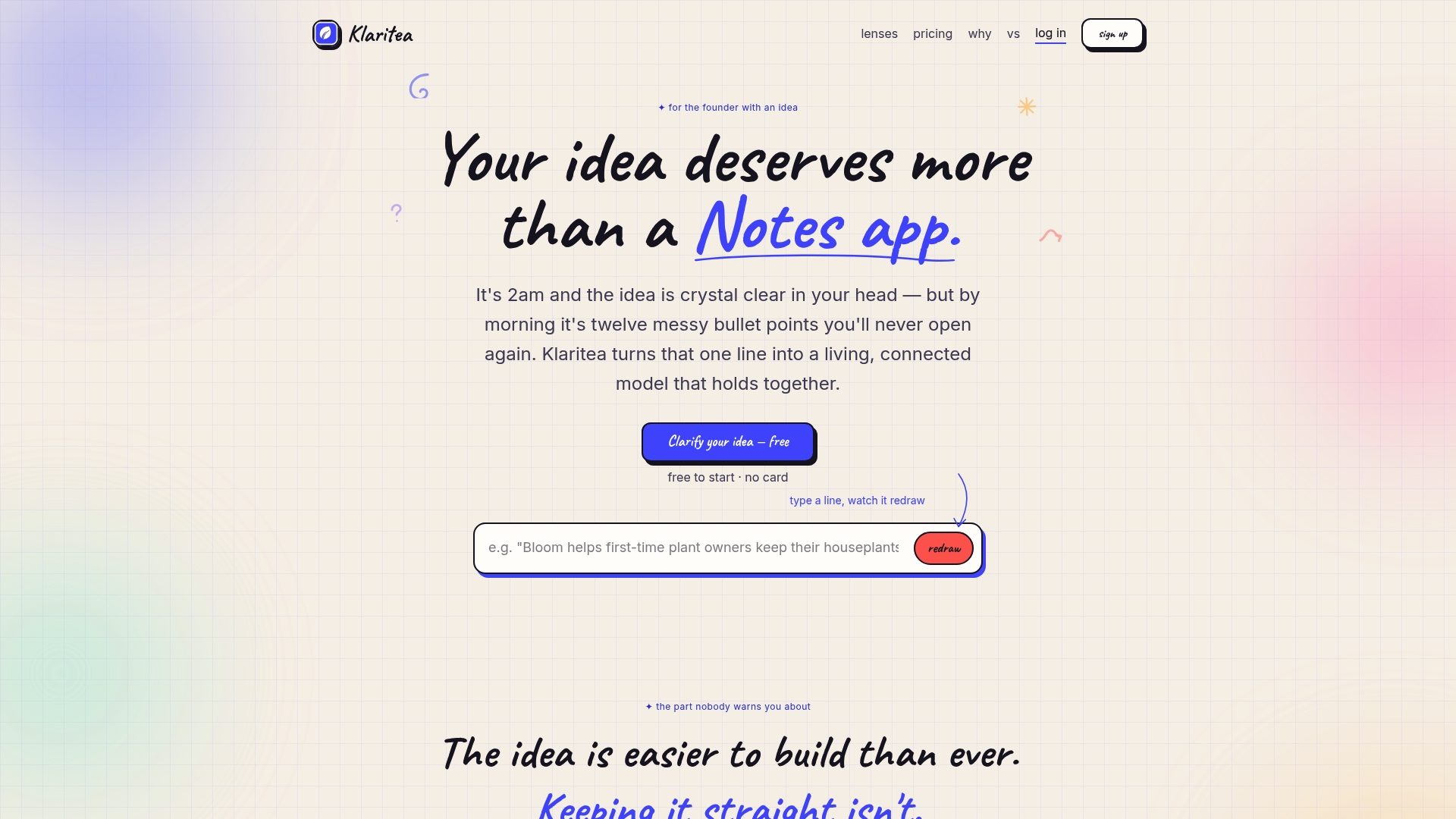
You describe your idea in a single line. Klaritea builds a connected model covering your ICP, TAM/SAM/SOM, competitor analysis, feature map, requirements, and build spec. Three AI advisors (Maya for marketing, Devon for business strategy, Priya for ops and QA) research, challenge, and fact-check your idea before you've spent a dollar on development. The outputs include clarity scorecards, a printable report, and export to Notion or Confluence on the Pro plan, so everything connects directly to the execution tools you're already using.
The free introductory tier lets you run your first idea through the full model without a credit card. For founders who've watched $15K in development spend produce an app nobody uses, starting with Klaritea is the cheaper experiment. You can also explore business planning software alternatives to see how Klaritea fits alongside the tools covered in this article.
FAQ
What are the best free startup tools in 2026?
Wave (accounting), HubSpot CRM (2 seats, full CRM), Notion (workspace), Linear (250-issue cap), Mailchimp (up to 250 contacts), Google Search Console, and the free tiers of ChatGPT, Claude, and Perplexity together cover most pre-seed needs at $0/mo.
How many tools does an early-stage startup actually need?
A core stack of around six tools covers almost every job a pre-Series A founder will face, according to startup best practices. Start with the highest-pain workflow first and add tools only when an existing one breaks under real usage.
What is the best business planning tool for first-time founders?
LivePlan is the most complete option, with automated financial forecasts and a plan-vs-actuals feature that connects directly to your accounting software. Businessplan.ai is faster for generating a first draft but requires more founder review to ensure accuracy.
When should a startup add payroll software?
Add Gusto ($49/mo plus $6/employee) the day you hire your first W-2 employee. Before that point, payroll software adds cost and complexity with no benefit.
What makes Klaritea different from other business planning tools?
Klaritea operates before the planning document stage. It structures your raw idea into a connected business model covering market sizing, competitor analysis, features, and a build spec, with an AI advisory board that challenges your assumptions before you invest in development or tooling.